The guide is built in
Every OA Labs instrument is made to be learned. Inside OA-Phosphor-1, open the menu (top right) and turn on Help: an ⓘ appears on every module. Click one and a panel beside it walks you through that module: what it’s for, what each control does and when to reach for it.
This page is the same guide, word for word, laid out to read through or search. Filter it for any control, module or sound.
New to synthesizers? It’s written for you. If you only read one part, read The instability engine: it’s what makes this instrument what it is.
Sound sources
Where the sound starts: two oscillators, a sub, how they are combined, and how a single key becomes a stack of voices.
OSC 1#
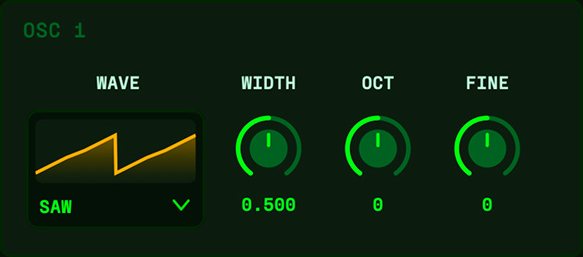
This is one of the two oscillators – the raw sound sources at the very start of the signal path. Everything else (shaper, filter, envelopes) sculpts what the oscillators produce, so their waveform and tuning set the foundation of the patch. The two are combined in the BLEND section.
- WAVE#
- The basic waveform, which sets the raw harmonic character: sine (pure), triangle (soft and hollow), saw (bright and buzzy), square/pulse (reedy and rich). This is the biggest single decision about the sound’s colour.
- WIDTH#
- On a PULSE wave this is pulse width – the high/low balance, from full and round to thin and nasal (modulate with an LFO for classic PWM). On SAW, TRIANGLE and SINE it reshapes the cycle instead: centre is the plain wave, turning UP makes the shape self-sync (repeating faster inside the note for a bright, tearing sweep), turning DOWN stretches it into a windowed shape. Centre = no effect.
- OCT#
- Coarse tuning in whole octaves. Use it to set an oscillator’s register – drop one down for sub-weight under a lead, or split the two an octave apart for a fuller sound.
- FINE#
- Fine tuning in cents (hundredths of a semitone). Detuning the two oscillators a few cents makes them beat against each other for a thick, animated, chorused sound. Keep it small – a little goes a long way.
OSC 2#
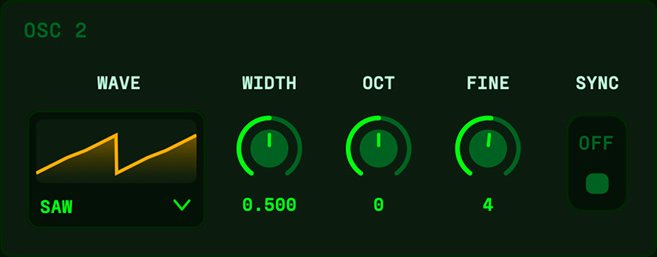
This is one of the two oscillators – the raw sound sources at the very start of the signal path. Everything else (shaper, filter, envelopes) sculpts what the oscillators produce, so their waveform and tuning set the foundation of the patch. The two are combined in the BLEND section.
- WAVE#
- The basic waveform, which sets the raw harmonic character: sine (pure), triangle (soft and hollow), saw (bright and buzzy), square/pulse (reedy and rich). This is the biggest single decision about the sound’s colour.
- WIDTH#
- On a PULSE wave this is pulse width – the high/low balance, from full and round to thin and nasal (modulate with an LFO for classic PWM). On SAW, TRIANGLE and SINE it reshapes the cycle instead: centre is the plain wave, turning UP makes the shape self-sync (repeating faster inside the note for a bright, tearing sweep), turning DOWN stretches it into a windowed shape. Centre = no effect.
- OCT#
- Coarse tuning in whole octaves. Use it to set an oscillator’s register – drop one down for sub-weight under a lead, or split the two an octave apart for a fuller sound.
- FINE#
- Fine tuning in cents (hundredths of a semitone). Detuning the two oscillators a few cents makes them beat against each other for a thick, animated, chorused sound. Keep it small – a little goes a long way.
- SYNC#
- Hard sync: osc 2 restarts its cycle every time osc 1 completes one, locking its pitch to osc 1 but keeping osc 1’s timbre. On its own it just recolours the tone – the magic is sweeping osc 2’s pitch (route an LFO or the mod wheel to Pitch 2, or raise osc 2’s OCT/FINE) to get the classic tearing, morphing sync-lead. Stacks with any BLEND mode.
SUB#
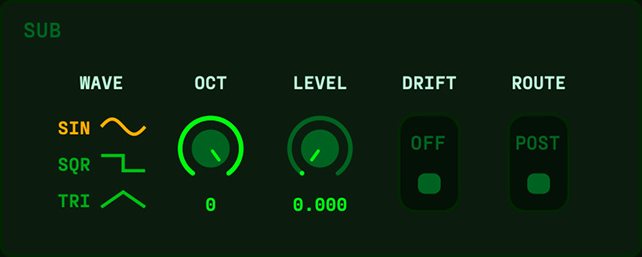
A sub oscillator adds low-end weight by reinforcing the note an octave (or two) below. Unlike everything else in Phosphor, the sub is deliberately kept clean and rock-steady – it bypasses all the aging, chaos and shaping, so while the rest of the patch drifts and breathes on top, the sub holds the bottom end dead solid. It’s the counterweight to the character. At LEVEL 0 (the default) it’s off.
- LEVEL#
- How much sub is mixed in. Zero is off; turn it up to add body and fatness underneath the sound. Reach for it on basses and big pads that need a solid foundation.
- WAVE#
- The sub’s tone: SINE is pure, clean weight (default); SQUARE is louder and more harmonically present, almost growly; TRI sits between. Use sine for invisible weight, square when you want the sub to be heard.
- OCT#
- How far below the played note the sub sounds: -1 octave (default) for weight that stays defined, or -2 for deep, rumbling sub-bass. Go -2 only when your speakers or headroom can handle it.
- DRIFT#
- Off (default) keeps the sub dead-steady – a rock-solid anchor under the instability. On lets it drift subtly WITH the aging system, so the low end breathes along with the rest of the patch instead of standing perfectly still. The amount follows AGE, so at AGE 0 it’s clean either way.
BLEND#
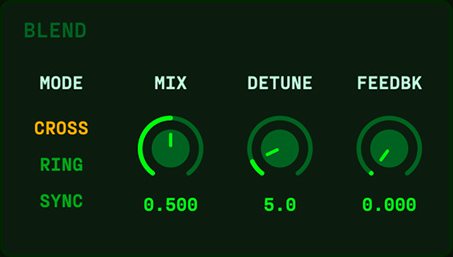
This is where the two oscillators are combined into one voice. Beyond a simple mix, it offers ring modulation and hard sync – two classic tricks for creating metallic, clangorous and aggressive tones that neither oscillator could make on its own.
- MODE#
- How the two oscillators interact. Mix simply blends them; Ring Mod multiplies them for bell-like, metallic and inharmonic tones; Hard Sync forces OSC 2 to restart with OSC 1 for that tearing, aggressive sync-lead sound. Pick the character, then use MIX to balance.
- MIX#
- The balance between OSC 1 and OSC 2. Centre is an even blend; either extreme favours one oscillator. In ring/sync modes it sets how much of the effect you hear against the dry oscillator.
- DETUNE#
- A fixed pitch offset between the two oscillators. Small amounts thicken the sound with slow beating; larger amounts create intervals or dissonance. This is a static detune – for wandering, living detune use ANALOGUE.
- FEEDBK#
- Feeds the voice’s output back into the oscillators. Low amounts add growl and edge; high amounts push into buzzy, chaotic, screaming territory. Reach for it to make a sound dirtier and more aggressive.
UNISON#
Unison stacks several copies of each note and detunes them slightly – the trick behind big, wide, shimmering synth sounds. Because each copy has its own drift, Phosphor’s stacked voices slowly pull apart as you hold a note, so pads breathe and evolve instead of sounding frozen.
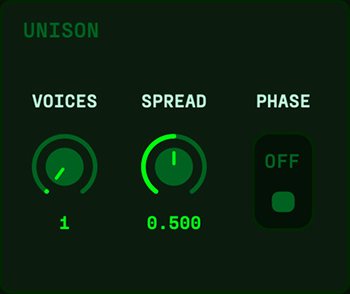
- VOICES#
- How many copies are stacked per note. More voices means a thicker, wider, lusher sound – but also more CPU and, at extremes, slightly blurred pitch. Two or three is a gentle thickening; higher is full supersaw territory.
- SPREAD#
- How far the stacked voices spread across the stereo field. Low keeps things centred and focused; high throws them wide for an enveloping sound. Check the patch in mono if you push this hard, as very wide stacks can thin out.
- PHASE#
- Lets each stacked voice start its cycle at a slightly different point, which widens the sound and softens the attack. Leave it up for width; pull it down for a tighter, more unified transient.
VOICE / GLIDE#
This sets how the instrument handles notes – whether it plays chords or one note at a time – and how pitch slides between them. Glide (portamento) is the swooping pitch-slide you hear on classic basslines and leads, and it feels best in mono or legato modes.
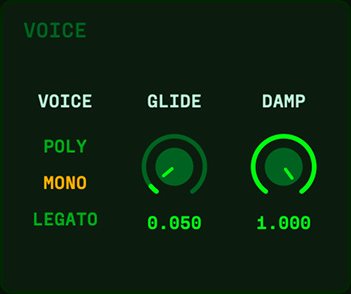
- VOICE#
- The global playing mode. Poly plays chords; Mono plays one note at a time and retriggers on each new key; Legato is also one-note but only retriggers the envelopes when you release between notes – ideal for smooth, connected lead lines.
- GLIDE#
- Portamento time – how long pitch takes to slide from the last note to the new one. Zero is an instant jump; higher values give a slow, expressive swoop. Reach for it on solo lines and 303-style basses.
- DAMP#
- The character of the glide’s motion, from loose and bouncy (it overshoots slightly, like a spring) through to critically damped (a clean, direct slide with no overshoot). Bouncy is playful and rubbery; damped is precise.
Shaping
Waveshaping between the oscillators and the filter — phase distortion and folding.
SHAPER#
The shaper reshapes the raw oscillator wave before it reaches the filter, and it’s a big part of Phosphor’s voice. Two tools live here: WARP bends how the waveform is read through its cycle (smooth and tonal), and FOLD grows brand-new harmonics on top (bright and aggressive). Together they turn a plain oscillator into something rich and characterful.
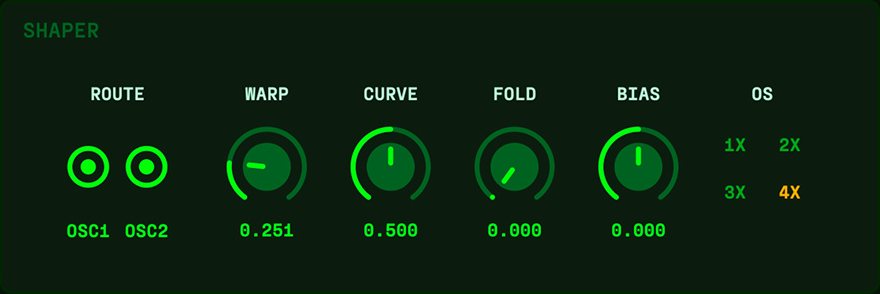
- WARP#
- Phase distortion – it warps how the oscillator scans through its own cycle, morphing a simple sine toward saw- or square-like tones. Smooth and musical, the classic sound of 80s phase-distortion synths. Reach for it to add body and edge without harshness.
- CURVE#
- Shapes what WARP does, changing which harmonics emerge as you push WARP up – think of it as the flavour control for the warp. Sweep it while WARP is up to find the exact tone you want.
- FOLD#
- Wavefolding – when the wave hits its ceiling it folds back on itself, and each fold spawns new harmonics. A touch adds warmth and shimmer; a lot turns metallic, buzzy and intense. Use it for bright, gnarly leads and clangorous textures.
- BIAS#
- Shifts the waveform off-centre before it’s shaped, adding even harmonics and making folding lopsided and more complex. Subtle alone, but it changes the character of WARP and FOLD noticeably – nudge it to make a folded sound less symmetric and more vocal.
- ROUTE#
- Chooses what the shaper acts on: Off (bypassed), OSC 1, OSC 2, or Both. Aim it at one oscillator to dirty that one up while the other stays clean, then blend – a snarling saw against a pure tone. Off leaves the raw oscillators untouched.
- OS#
- Oversampling quality. 4x (default) is clean and smooth; lower settings let WARP and FOLD alias for a harsher, grittier, more digital edge. It’s also a CPU dial – 1x is the cheapest – so drop it for character or to save processing.
Filter
The morphing filter and its own envelope.
FILTER#
The filter carves away frequencies to shape tone – the single most important sculpting tool in a synth. Phosphor’s is a morphing analog-style filter: rather than picking one fixed type, MORPH sweeps smoothly between lowpass, notch, bandpass and highpass. Park it for a classic filter, or sweep it live for shapes an ordinary filter can’t make. DRIVE, COLOR and MOTION add analog character on top.
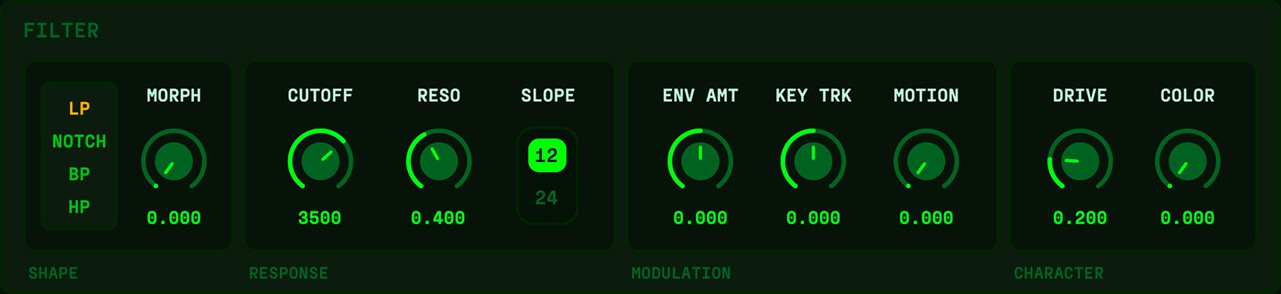
- MORPH#
- Sweeps the filter’s shape continuously: lowpass (keeps lows, cuts highs) → notch → bandpass (keeps a middle band) → highpass (keeps highs, cuts lows). Park it on a type you like, or automate it for an evolving sweep.
- CUTOFF#
- The frequency the filter acts around – in plain terms, the brightness control. Low is dark and muffled; high is open and bright. This is the knob you’ll reach for most to shape a sound’s tone.
- RESO#
- Resonance – a boost right at the cutoff that adds a vocal, whistling emphasis and makes sweeps sing. Push it near maximum (with DRIVE up) and the filter self-oscillates into a pure tone. Back off if it gets too piercing.
- DRIVE#
- Saturation inside the filter, from gentle analog warmth to hard grit as you push it. It thickens the sound and tames harsh resonance. Reach for it to add body and dirt.
- COLOR#
- How much throaty, vocal character the filter curve has – clean and neutral at zero, more coloured and ‘talking’ as you turn it up. A subtler tone-shaper that works alongside DRIVE; nudge it to give a flat sound personality.
- ENV AMT#
- How much the FILTER ENV moves the cutoff, and in which direction (bipolar). Positive opens the filter on attack for bright plucks; negative closes it. At zero the filter envelope has no effect at all.
- MOTION#
- How much the aging system (AGE, drift, chaos) is allowed to wander and breathe the filter. At zero the filter is rock-stable; turned up it drifts, morphs and sags along with the rest of the instrument. Raise it to let the filter feel alive.
- KEY TRK#
- Keyboard tracking – how much the cutoff follows the note you play (pivot = middle C). At 0 the cutoff is fixed, so high notes turn dull and low notes bright; at +100% it tracks pitch 1:1 so timbre stays consistent up and down the keyboard. Negative inverts it (higher notes get darker) for a creative twist.
FILTER ENV#
Same idea as the amp envelope, but instead of volume this contour moves the filter’s cutoff over the life of a note. It’s what makes a sound open up brightly on attack and then close down – the source of that classic ‘wow’ sweep on plucks and basses. How strongly it acts is set by the filter’s ENV AMT.
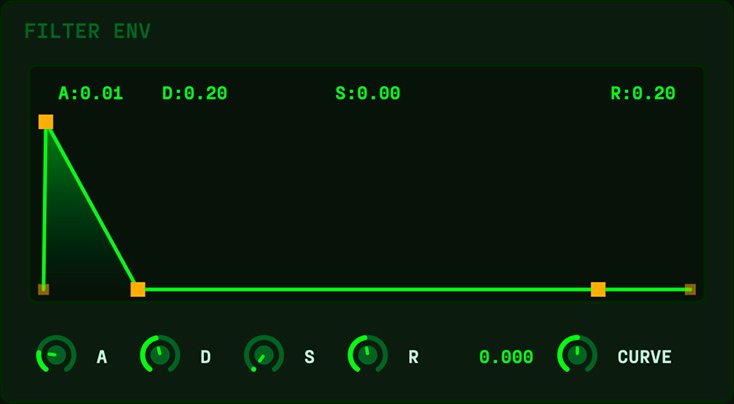
- A#
- Attack – how long the filter takes to sweep open at the start of a note. Fast gives an instant bright snap; slow gives a rising, opening swell.
- D#
- Decay – how long the filter takes to fall from its peak toward the sustain level, shaping that opening-then-closing ‘wow’ on plucks and basses.
- S#
- Sustain – the cutoff level held while the key is down. It sets how bright the sound stays after the initial sweep settles.
- R#
- Release – how long the filter takes to settle after note-off, shaping the brightness of the tail alongside the amp release.
- CURVE#
- Bends the filter envelope’s segments from straight lines (centre = default) toward exponential curves, so the cutoff sweep can snap and taper naturally instead of moving at a constant rate. Great for punchy, plucky filter motion; leave at centre for linear sweeps.
Envelopes and modulation
How the sound moves over time, and what you can steer by hand.
AMP ENV#
An envelope is a contour that shapes a value over the life of a note. This one – the amp envelope – controls volume, which is what makes a sound pluck, swell, or sustain. It uses the classic four stages: Attack, Decay, Sustain, Release (ADSR).
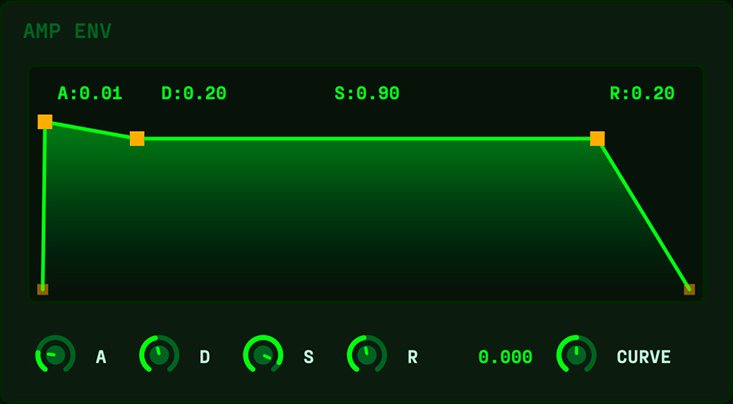
- A#
- Attack – how long the sound takes to rise from silence to full volume after you press a key. Short is a sharp, percussive start; long is a slow fade-in for pads and swells.
- D#
- Decay – how long it takes to fall from the initial peak down to the sustain level. With a low sustain, a short decay gives the plucky shape of keys and stabs.
- S#
- Sustain – the volume held for as long as you keep the key down. High keeps the note at full level; zero lets it fade away after the decay even while held (like a pluck).
- R#
- Release – how long the sound takes to fade to silence after you let go. Short cuts off cleanly; long leaves a ringing tail. Raise it for pads and ambient sounds.
- CURVE#
- Bends the attack/decay/release from straight lines (centre = the default) toward exponential curves. Curved segments sound more natural: a snappier attack and a fast-then-tapering decay/release, like a real struck or plucked note. Leave at centre for the classic linear feel.
PITCH EG#
A quick pitch envelope that bends pitch at the very start of each note, then settles to the note you played. It’s the secret behind punchy blips, zaps, drum-like attacks and dramatic risers. Short and subtle it adds attack ‘thwack’; long and big it’s a special effect.
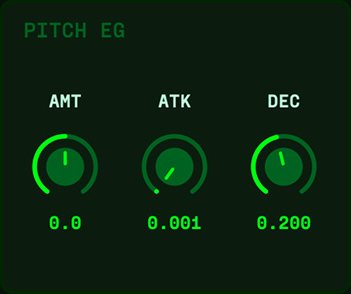
- AMT#
- How far pitch is bent at note onset, in semitones, and in which direction (bipolar). Positive starts sharp and drops in; negative starts flat and rises up. Small amounts add punch; large amounts make zaps and risers.
- ATK#
- How quickly pitch reaches the AMT offset at the start of the note. Usually near zero for an instant bend, but raise it for a swelling pitch-rise effect.
- DEC#
- How long pitch takes to fall back from the offset to the note you actually played. Short is a fast blip; longer is a slow settle or dive.
LFO#
An LFO is a Low-Frequency Oscillator – a slow, repeating wave used not to make sound but to move a control automatically, adding vibrato, wobble, sweeps and pulse. Phosphor has two independent LFOs sharing this panel; the 1 / 2 tab picks which you’re editing, but both always run, and a dot on a tab means that LFO is actively routed. Each can free-run in Hz or lock to your song’s tempo.
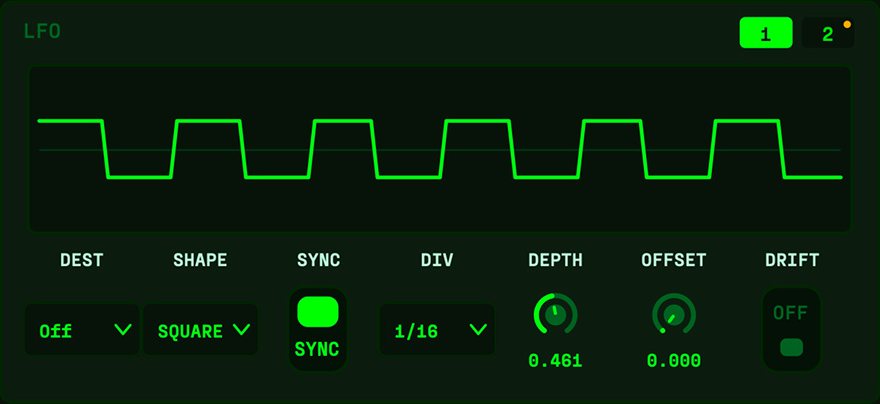
- DEST#
- What this LFO modulates – a curated list of musical targets (shared with the mod wheel). PITCH and PW can hit OSC 1, OSC 2 or Both; then filter CUTOFF, RESO and MORPH; shaper FOLD, WARP and BIAS (great for evolving timbres); AGE (breathe in and out of stability); and LEVEL (tremolo). Pick a destination, then set DEPTH.
- SHAPE#
- The waveform the LFO uses. SINE, TRI(angle) and SAW UP/DN are the classic smooth/ramp shapes; SQUARE flips between two levels for gated, trill effects; EXP UP/DN are curved ramps for natural, plucky movement. S&H holds a new random value each cycle (stepped/glitchy), and RANDOM wanders smoothly between random targets – drift as an LFO, never quite repeating.
- RATE#
- The LFO’s speed in Hz, used when SYNC is Free. Slow gives gradual sweeps; fast gives vibrato or, very fast, a buzzing growl. Only active in Free mode.
- DIV#
- The note division the LFO locks to when SYNC is on – like 1/4 or 1/8, including dotted and triplet values – so the movement stays in time. Only active in Sync mode.
- DEPTH#
- How much the LFO moves its destination. Zero is no effect; higher is a deeper, more obvious wobble or sweep. This is the amount control for the whole LFO.
- SYNC#
- Chooses the timing source: Free runs at the RATE in Hz, ignoring tempo; Sync locks to the host tempo using DIV so the movement lines up with the beat. Use Sync for rhythmic effects, Free for vibrato and drones.
- OFFSET#
- Shifts the LFO’s phase so its peak lands earlier or later – you can park the top of the wave deliberately ahead of or behind the beat. Useful for placing a wobble exactly where you want it in the groove.
- DRIFT#
- Couples the LFO’s timing to the aging drift, so its rate breathes slightly off-grid instead of being metronomically perfect. Subtle and on-brand – leave it low unless you want the movement to feel hand-played.
MOD WHEEL#
The mod wheel (MIDI CC1, the wheel beside your keys) is a live performance control, and here you can route it to up to three destinations at once. That lets a single gesture reshape the sound in several ways together – open the filter, raise chaos and creep AGE up all with one push. Pitch bend is handled separately and is always ±2 semitones.
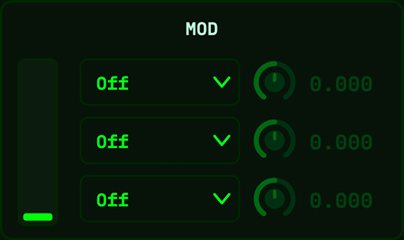
- DEST#
- What this slot’s wheel movement controls – the same curated destination set as the LFOs: PITCH / PW, filter CUTOFF / RESO / MORPH, shaper FOLD / WARP / BIAS, AGE, and LEVEL. Set up to three different destinations across the three slots for expressive, multi-dimensional performance moves.
- AMT#
- How far a full push of the wheel moves this destination. It’s bipolar, so a negative amount pulls the destination down as you push the wheel up – handy for opening one thing while closing another in the same gesture.
The instability engine
The part that makes it Phosphor: nothing here holds perfectly still.
ANALOGUE#
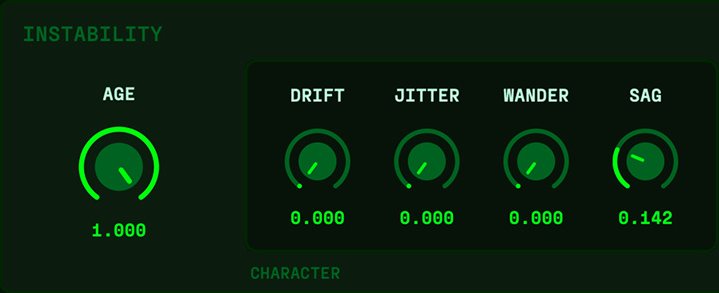
Real analog synths are never perfectly stable – components warm up, voltages sag, tuning drifts. Phosphor recreates that imperfection on purpose, and this is where it lives. AGE is the master dial: at zero the instrument is clinical and digitally perfect; open it and pitch, filter and tone begin to wander and breathe like old hardware in a damp basement. Everything here is shared across every voice, so the whole instrument moves as one living thing rather than sounding like separate effects.
- AGE#
- The master amount for all the instability below – it scales DRIFT, JITTER, WANDER, SAG and CHAOS together. This is the one knob that takes you from ‘pristine digital’ to ‘haunted tape machine.’ Set the others to taste, then use AGE to dial how alive the whole patch feels.
- DRIFT#
- A slow, gentle wander in pitch and tone – the ‘never quite in tune’ warmth of vintage gear. A little adds richness to pads and keys; a lot feels genuinely unstable. Reach for it when a sound is too static or sterile.
- JITTER#
- Fast, fine flicker layered on top of the slow drift – the grain of imperfect circuitry. Small amounts add texture and life; pushed hard it turns buzzy and nervous. Use it to rough up a clean sound.
- WANDER#
- Movement in the middle ground between DRIFT (slow) and JITTER (fast), filling in the motion so the instability feels organic rather than sluggish or twitchy. Nudge it up when drift alone feels too smooth.
- SAG#
- Models a power supply straining under load: play hard or hold many notes and pitch pulls flat, the filter narrows and the level dips, then recovers as you ease off. Unlike the others it reacts to how you play, adding a physical, breathing response – great for expressive bass and leads that should ‘give’ when pushed.
CHAOS#
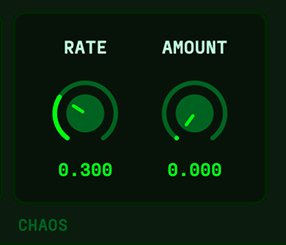
CHAOS feeds a strange attractor – a mathematical system that never repeats but isn’t random either – into the same aging engine above. Think of it as a circuit with a mind of its own: fully deterministic, yet genuinely unpredictable. It rides on top of AGE, so as you open AGE this is what tips a patch from merely ‘aged’ toward truly ‘unstable.’
- RATE#
- How fast the chaos moves, from a slow underlying crawl all the way up to audio rate – where it stops being modulation and becomes a screaming, inharmonic tone. The very top is a special effect to visit on purpose, not a set-and-forget.
- AMOUNT#
- How hard the chaos pushes on pitch, filter and tone. Low is a subtle, well-behaved wobble; high lets the attractor run wild and the instrument genuinely misbehaves. Turn it up when you want alive, slightly broken motion.
Arpeggiator
A sixteen-step grid with per-step lanes and its own groove system.
ARP#
An arpeggiator turns held notes into a rhythmic sequence, playing them one at a time in a pattern instead of all at once. Phosphor’s is degree-based: it arpeggiates whatever notes you hold, and the STEP GRID below shapes every detail. Turn it on and hold a chord to hear it.

- ARP#
- Switches the arpeggiator on and off. Off, the instrument plays normally; on, your held notes become a sequence.
- PATTERN#
- The order the notes are played in – up, down, up-down, as-played, random, and so on. It’s the melodic shape of the sequence; try a few to find the motion that fits the track.
- SYNC#
- Chooses the clock: on locks the arp to the host tempo (using DIV); off runs it free (using RATE). Only the active one is enabled – the other greys out.
- DIV#
- The note value of each step when SYNC is on – 1/8, 1/16, and so on – which sets how fast the sequence runs against the beat. Smaller values are faster.
- RETRIG#
- Sets what re-anchors the pattern to its start: Off (locked to song position), Play (restart when playback starts), New Note, or Bar. When synced, steps lock to the host’s timeline so the arp never drifts out of time.
- RATE#
- The step speed when running free (SYNC off), in place of DIV. Higher is faster.
- LENGTH#
- How many steps play before the pattern repeats. Shorter loops give a tight, hypnotic motif; longer ones give an evolving line.
- OCTAVES#
- How many octaves the pattern climbs through before wrapping back, adding range and movement. One keeps it tight; more makes it sweep up the keyboard.
- GATE#
- How long each step’s note sounds within its slot – short and staccato through to long and legato. It shapes the rhythmic feel and how connected the notes are.
GROOVE#
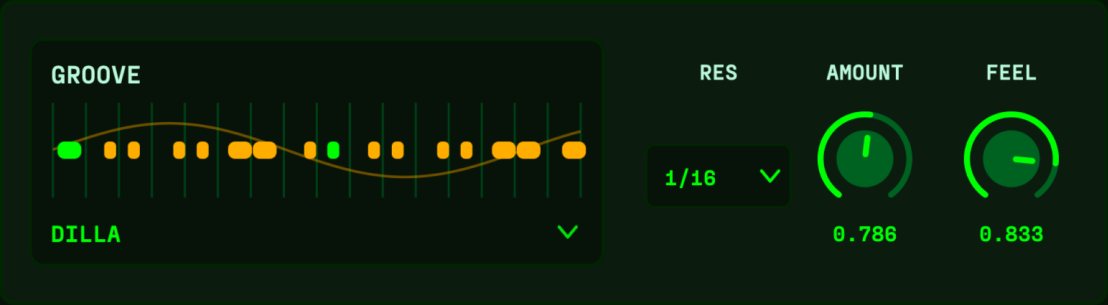
Groove is the timing feel that keeps an arp from sounding robotic – the subtle push and pull that makes a sequence swing or shuffle. Pick a ready-made template – its actual per-step shape shows on the STEP GRID’s TIMING lane, dimmed and read-only – or choose Custom to unlock that lane and draw your own. AMOUNT sets how strong it is, and FEEL adds a living, drifting humanization so it never repeats exactly.
- GROOVE#
- The feel template – Straight, Swing, Shuffle and others – or Custom for your own. A named template previews its offsets on the TIMING lane (locked); Custom unlocks the lane, seeded once from whatever groove was active the first time you pick it, so you tweak a template rather than start from scratch.
- RES#
- The reference note value the groove is measured against (1/8, 1/16, 1/32). It sets the grid the swing/shuffle pushes against, so the same template feels different at different resolutions. It scales FEEL too – offsets are measured in this note value, so a coarser RES makes the same FEEL amount wander further (roughly four times as far at 1/8 as at 1/32). That means RES still matters on a Straight groove whenever FEEL is up. Sync only: in free-run mode offsets follow the step length and RES does nothing.
- AMOUNT#
- How strongly the groove is applied. Zero is dead straight regardless of the template; full applies it as written; in between dials in as much feel as you want. It scales the template only, so on a Straight groove there is nothing to scale and the control greys out.
- FEEL#
- A drift-coupled humanization that makes the timing breathe subtly from loop to loop, so it never sounds mechanically identical. Zero is perfectly rigid; higher is looser and more hand-played. It is added on top of the groove rather than scaled by AMOUNT, so it still works on a Straight groove – reach for it when you want human timing without a swing. Its depth follows RES.
STEP GRID#
The step grid is where you draw the details of the sequence, one value per step across several lanes. Each lane controls a different aspect – which note, its octave, how often it fires, and more. Click a step to select it (its controls appear in the STEP panel below); click the selected step again and drag to edit inline, or drag across cells to draw a curve. A first click only selects, so you can inspect a step without changing it.
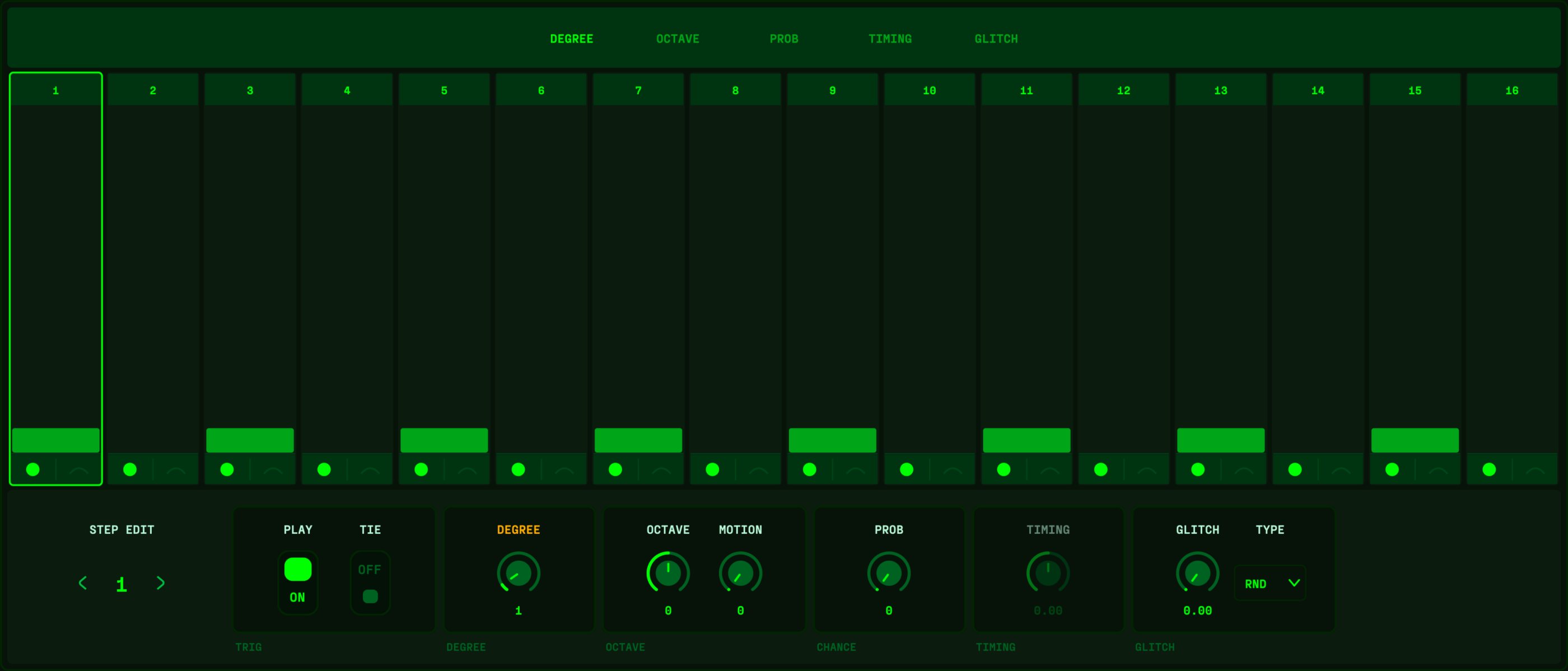
- DEGREE#
- Which note each step plays – the index into your held notes. This is the melodic content of the sequence.
- OCTAVE#
- A per-step octave shift up or down, letting individual steps jump register for bass drops or high accents without changing the played notes.
- PROB#
- How often a step fires, read as A:B – it fires on pass A of every B passes through the pattern. One dial (drag it, or drag the lane) steps through 15 positions: 1:1 fires every pass; 1:2 2:2, 1:3 2:3 3:3, 1:4 2:4 3:4 4:4 thin it out – B is how often (every 2nd, 3rd, 4th...), A is WHICH pass of the group fires, so steps can stagger against each other (1:3 the first of every three, 3:3 the last). 1:6 and 1:8 go sparser still. The last three (25/50/75%) are a chance instead, rolled fresh each pass. Dim cells skip the coming cycle, bright cells fire; chance cells stay bright since the roll isn’t known yet.
- GLITCH#
- The chance a step does something unexpected when it fires. TYPE picks the effect: JUMP (leap an octave), STUTTER (ratchet the note 2-4 times in the slot), SCRAMBLE (borrow a nearby step’s note), or RND to roll evenly over all three. GLITCH itself is the probability – 0 never, 1 every time – so the pattern stays alive and varies each pass. A touch adds accents; cranked, it turns broken and glitchy.
- TIMING#
- A per-step micro-shift of timing. With GROOVE set to a named feel, this lane shows that groove’s actual per-step offsets, dimmed and read-only – a preview of what you’ll hear. Set GROOVE to Custom to unlock it and push each step early or late, building your own swing or hand-played feel, bar by bar.
- PLAY / REST#
- Whether a step sounds. Click the dot in the LEFT half of a step’s footer (or the PLAY toggle in the STEP panel) to silence it – a rested step dims. Rests are what turn a constant run into an actual rhythm.
- TIE#
- Tie a step to hold the PREVIOUS note through it with no re-attack – the two become one longer note (tie several in a row for a single sustained note, even across the loop). A tie overrides GATE, so the note isn’t cut short. Click the arc in the RIGHT half of a step’s footer, or the TIE toggle in the STEP panel.
Output
The last stage before the sound leaves the instrument.
OUTPUT#
The final stage before the sound leaves the instrument. It’s your last chance to add colour with drive and to set the overall level, so use it to glue the patch together and match its loudness to your other sounds.
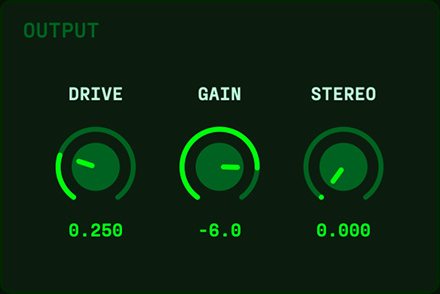
- DRIVE#
- Saturation on the full output – gentle warmth at low settings, grit and loudness at high ones. It thickens and adds character to the whole patch; a little often helps a sound sit better in a mix.
- GAIN#
- The overall output volume. Use it to balance this patch against your other instruments, and to make up for level changes as you drive or filter the sound.
Interface
A few more pieces of help live as tooltips, not in a module panel.
Tooltips#
Nothing matches. Try a control’s name, like CUTOFF or AGE, or a word like “swing”.